
Charging
- Connect the charger plug as shown in the figure.
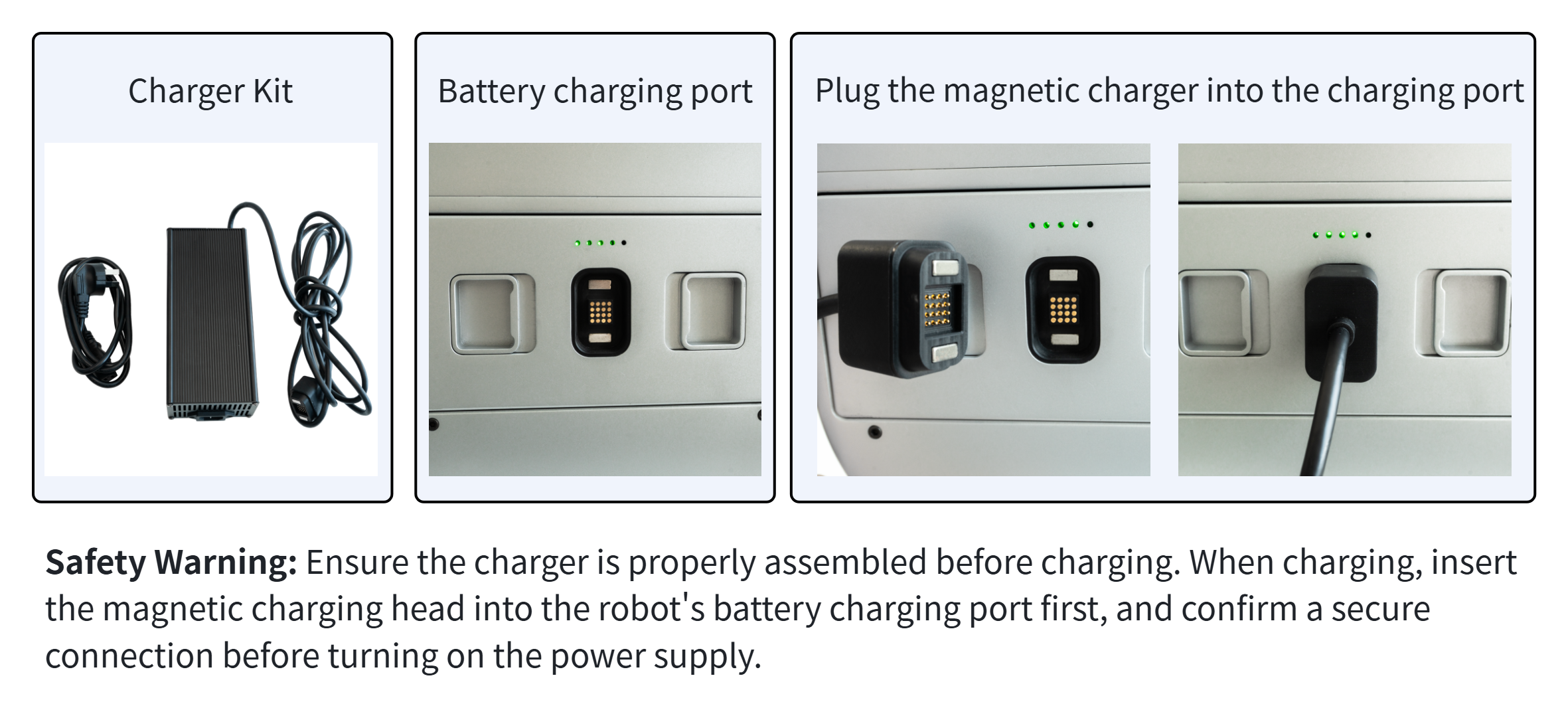
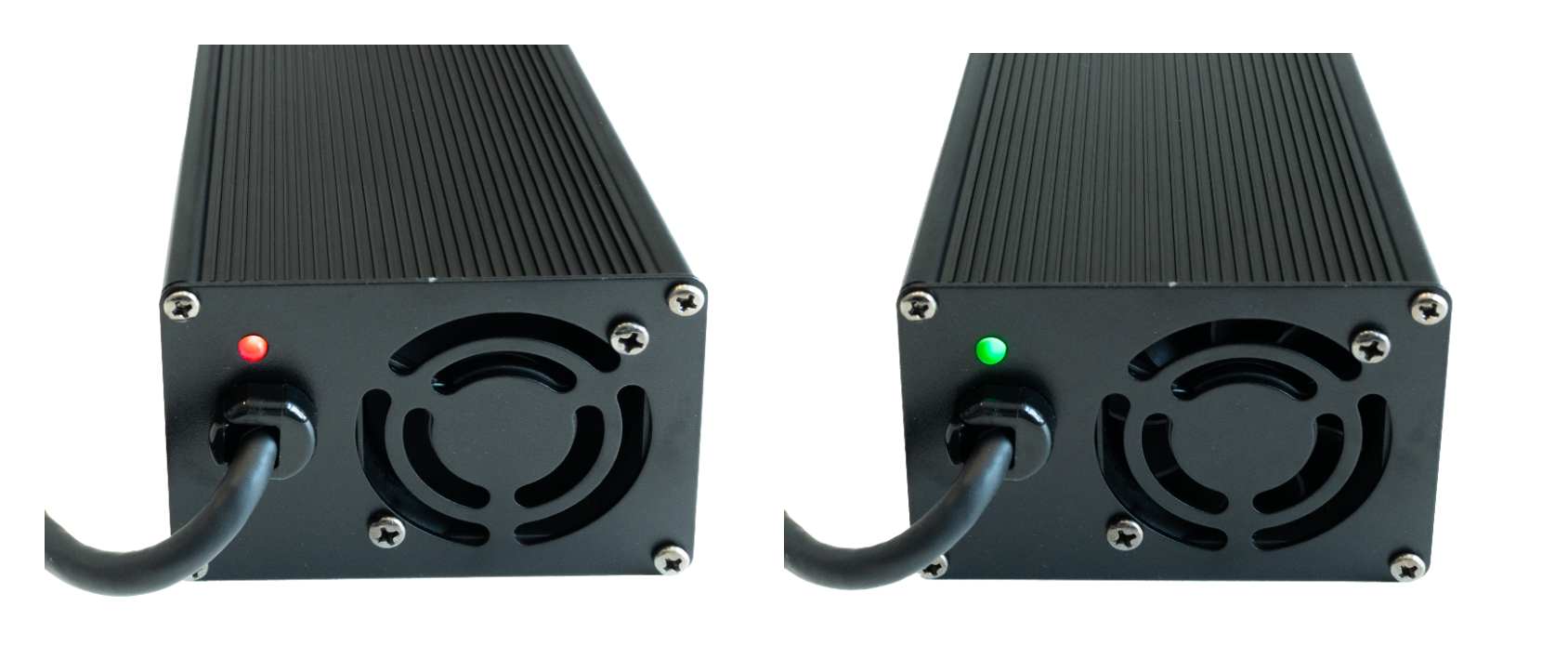
- The charging status is shown in the figure. A steady red light with the charger fan running indicates normal charging; a green light indicates a full charge. It takes about 2 hours to fully charge from zero‑power state.
- The battery supports charging while discharging. Insert the battery into the robot battery compartment and power on for use; you can connect the charger to charge the battery at the same time.
💡
- The battery charging temperature is between 0°C and 45°C. Outside this range, the battery automatically protects itself and cannot charge. Wait until the battery temperature returns to within range, then reconnect the charger to continue charging.
- Charging while discharging increases the time needed for a full charge.
- Use only the dedicated charger provided. Never mix in a lead-acid battery or any other incompatible charger, as this may cause a safety accident.
- If the battery cannot charge, do not leave the charger connected to the battery for a long time (over 12 h), to prevent the battery from being over-discharged. Send batteries that cannot charge to after-sales service promptly.