
Use Agents
What Is an Agent?
An Agent is a "skill pack" installed in the robot's brain. It can also be understood as an application running on the robot. Like switching apps on a phone, switching Agents lets the robot enter the corresponding capability scenario and use different interaction methods and task capabilities.
How to Switch Agents
-
Switch via the mobile App
- Tap the Agent name in the top-left corner to switch to another Agent. Each Agent has different capabilities — for example, Soccer Master can play soccer with you, Hi Chat can talk with you using different personas, and Dance Master can perform a variety of dances from around the world.
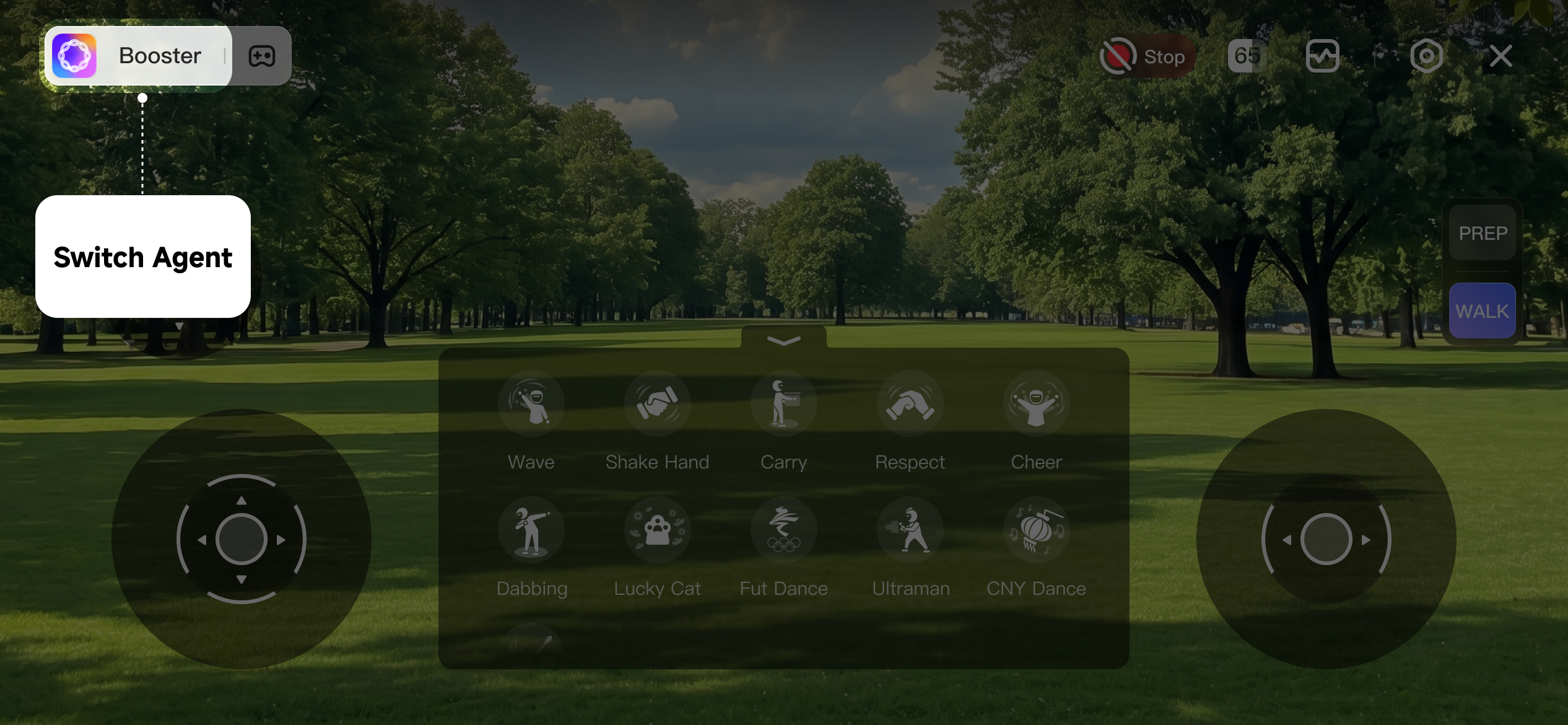
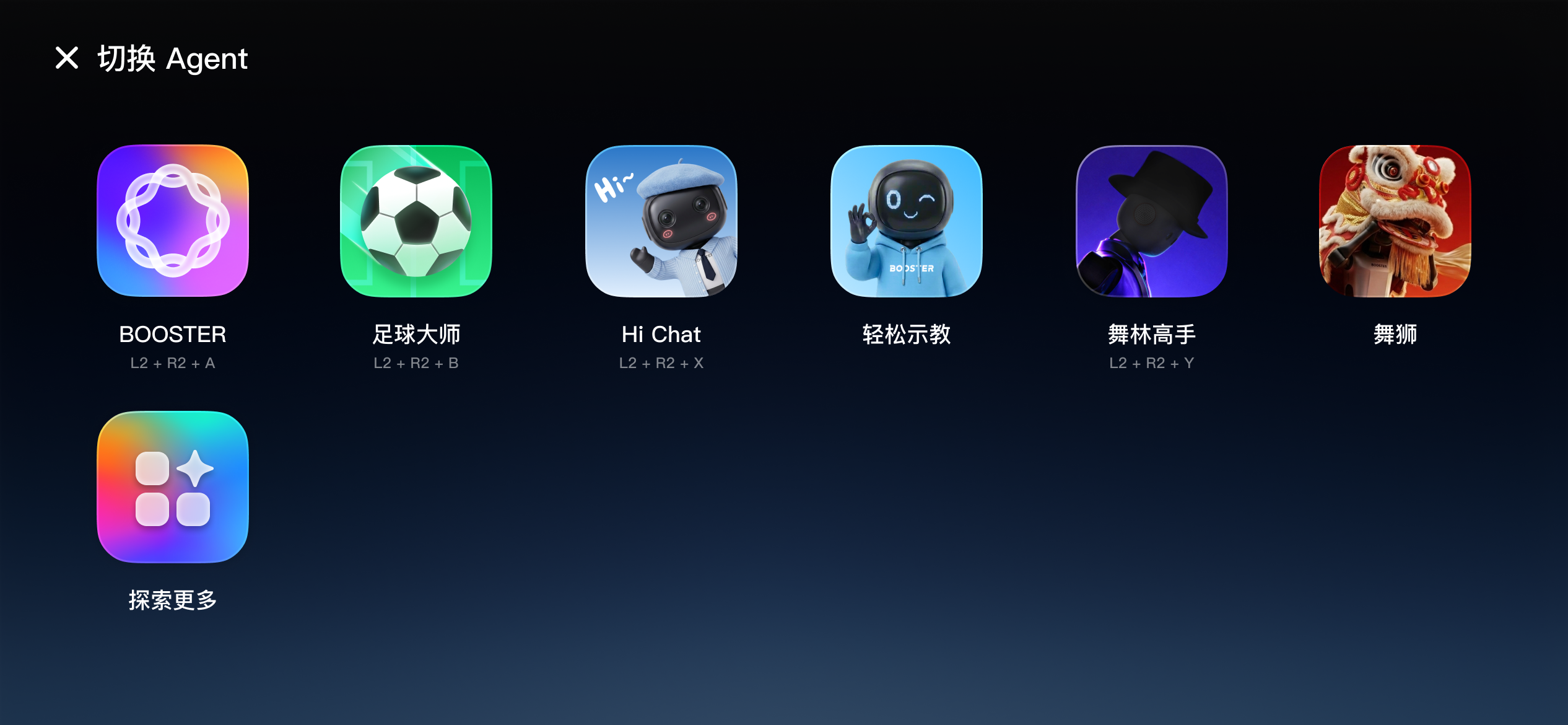
-
Switch via the Joystick
Action / Function
Keys
Prerequisite
Enter Default Agent
LT + RT + A
Enter Soccer Agent
LT + RT + B
Enter Hi Chat Agent
LT + RT + X
Requires an internet connection
Enter Dance Agent
LT + RT + Y
Official Agents
Booster K1 comes with 6 official Agents built in, covering entertainment, conversation, teaching, and competitive scenarios.
Booster
The basic general-purpose Agent. It supports everyday movements such as waving, handshaking, and bowing, and can also perform several fun dances — suitable for everyday interaction scenarios.
Functions list
Functions | Buttons | Prerequisites | 7DoF Support |
|---|---|---|---|
Shake Hand | A | Under WALK mode | ✗ |
Wave | B | Under WALK mode | ✗ |
Ultraman | X | Under WALK mode | ✗ |
Respect | Y | Under WALK mode | ✗ |
Lucky Cat | RB + A | Under WALK mode | ✗ |
Dabbing | RB + B | Under WALK mode | ✗ |
Cheer | RB + X | Under WALK mode | ✗ |
Carry | RB + Y | Under WALK mode | ✓ |
Dance 1 | LB + UP | Under WALK mode | ✗ |
Dance 2 | LB + LEFT | Under WALK mode | ✗ |
Dance 3 | LB + RIGHT | Under WALK mode | ✗ |
Get Up | LT + UP | Under DAMP/PREP mode | ✗ |
Shoot | LT + Y | Under WALK mode | ✗ |
Soccer Master
Specialized in soccer scenarios. It can autonomously track, chase, kick, and shoot the ball, and can precisely reproduce the signature celebrations of soccer stars such as Cristiano Ronaldo and Messi.
Functions list
Functions | Buttons | Prerequisites | 7DoF Support |
|---|---|---|---|
Shake Hand | A | Under WALK mode | ✗ |
Wave | B | Under WALK mode | ✗ |
Get Up | LT + UP | Under DAMP/PREP mode | ✗ |
Track Ball | LT + A | Under WALK mode | ✗ |
Chase Ball | LT + B | Under WALK mode | ✗ |
Shoot | LT + Y | Under WALK mode | ✗ |
Hi Chat
An intelligent conversational interaction Agent. It can flexibly switch between a variety of fun personas — including cute kid, tutor, and pet styles — meeting the needs of casual chat and playful companionship.
For details, see Introduction.
Functions list
Functions | Buttons | Prerequisites | 7DoF Support |
|---|---|---|---|
Default | LT+A | Under WALK mode | ✓ |
XiaoBao | LT+B | Under WALK mode | ✓ |
Gentle Ella | LT+X | Under WALK mode | ✓ |
Grumpy Jax | LT+Y | Under WALK mode | ✓ |
English Tutor | LT+UP | Under WALK mode | ✓ |
Cute Pet | LT+DOWN | Under WALK mode | ✓ |
Alien Weirdo | LT+LEFT | Under WALK mode | ✓ |
Say Hello | RT + Y | Enable chat | ✗ |
Dance Master
Supports rock dance, New Year greeting dance, "Stride to the Future" dance, and more.
Functions list
Functions | Buttons | Prerequisites | 7DoF Support |
|---|---|---|---|
Rock & Roll Dance | LB+A | Under WALK mode | ✗ |
New Year Dance | LB+B | Under WALK mode | ✗ |
Future Dance | LB+X | Under WALK mode | ✗ |