
Service Start/Stop
Use the App
-
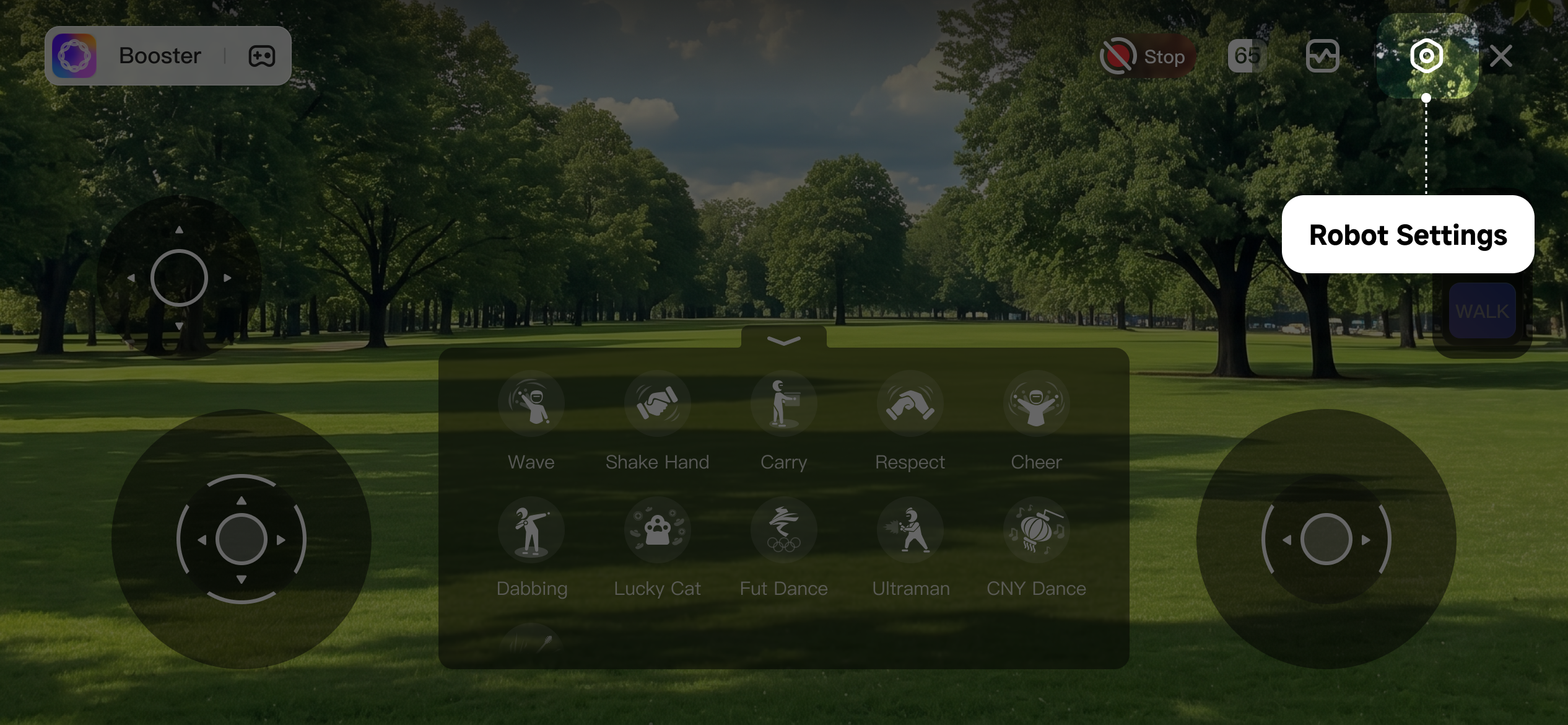
On the control page, tap "Settings" to enter the settings page.
-
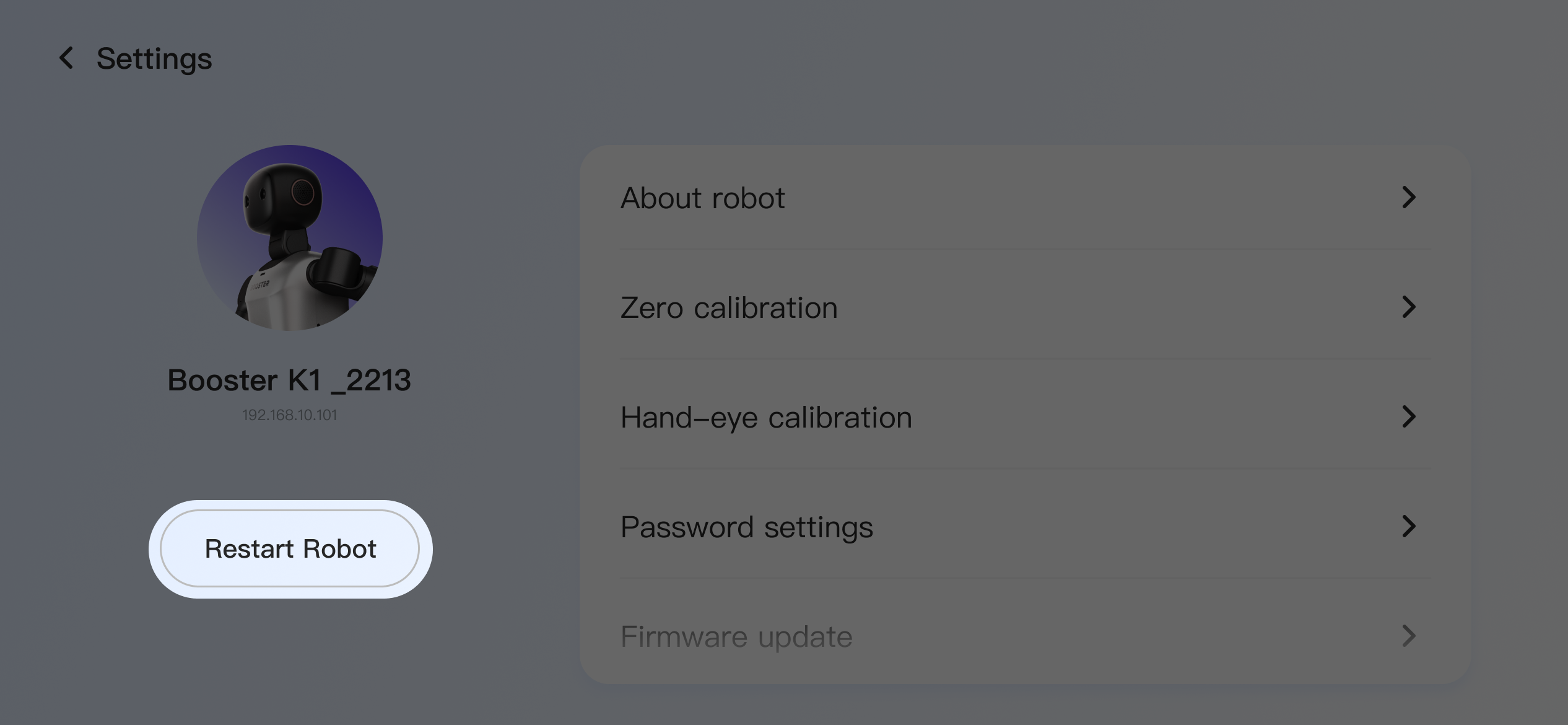
On the settings page, tap "Restart Robot" to restart the robot.
Use a Terminal
- Use another device toconnect to the robot through a terminal
- Run the following commands in any directory on the robot:
💡
Note: restarting the robot service fully restarts the robot firmware. Make sure the robot is properly supported on a stand or lying flat on the ground before doing this.
# Source once after each login
source /opt/booster/env/activate
# Start the robot service
bdb container boot-all
# Stop the robot service
bdb container kill-all
# Restart the robot service
bdb container kill-all && bdb container boot-all