
Remote Support
Introduction
When the robot has issues and you need remote assistance, follow these steps to get support.
Procedure
💡
You can choose from the following two remote assistance methods:
- Connect your personal computer to the robot via SSH; the support tech support can then connect to your computer via remote desktop and subsequently to the robot.
- Install remote desktop software on the robot; you can use a display and keyboard/mouse to open the remote desktop software, allowing support personnel to connect directly to the robot.
-
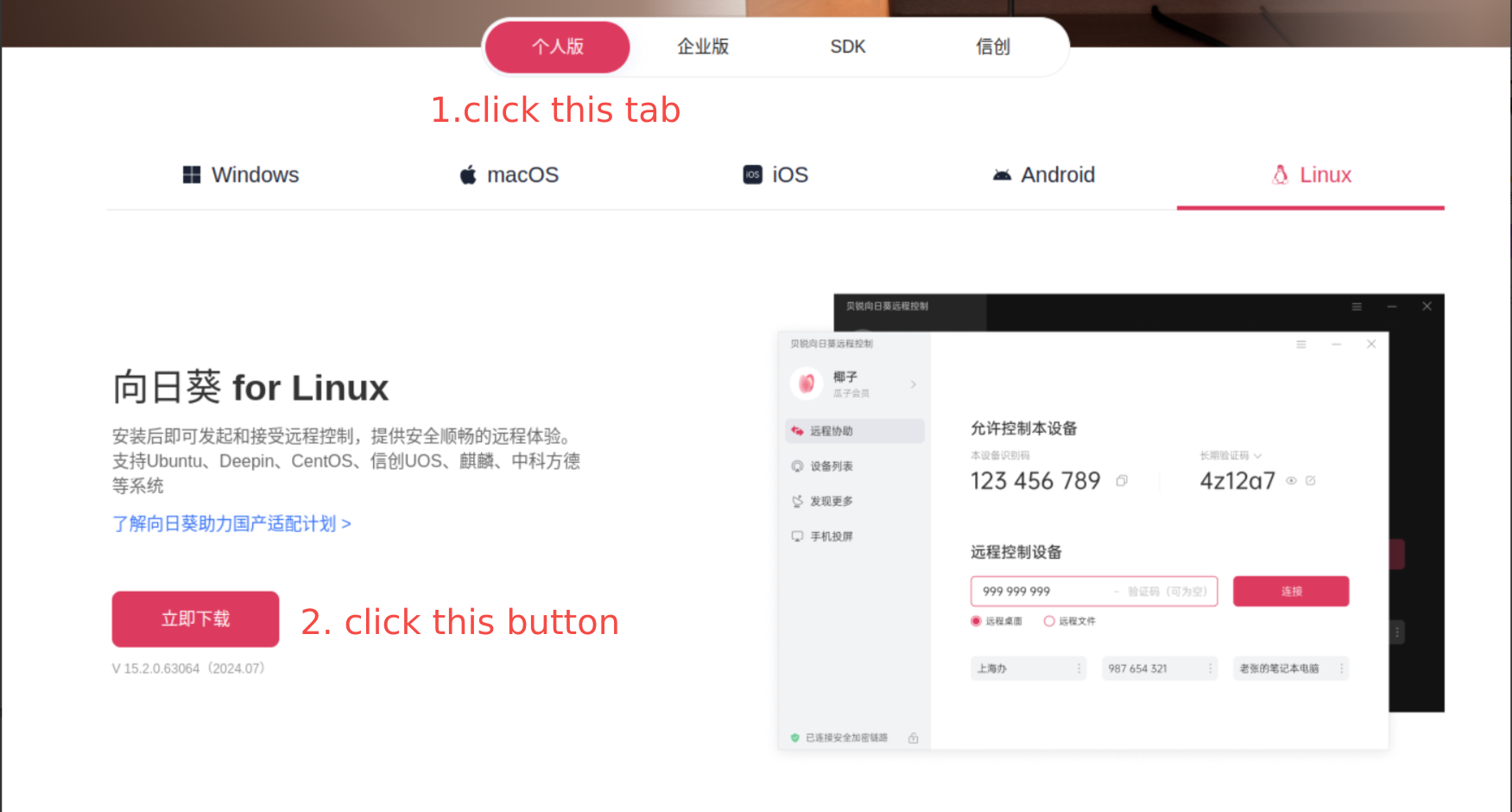
Download the remote desktop software: https://sunlogin.oray.com/download
- Choose the personal edition
- Select the corresponding operating system based on your device and then click download
-
Install the remote desktop software and provide your Device ID and one-time password to tech support.
-
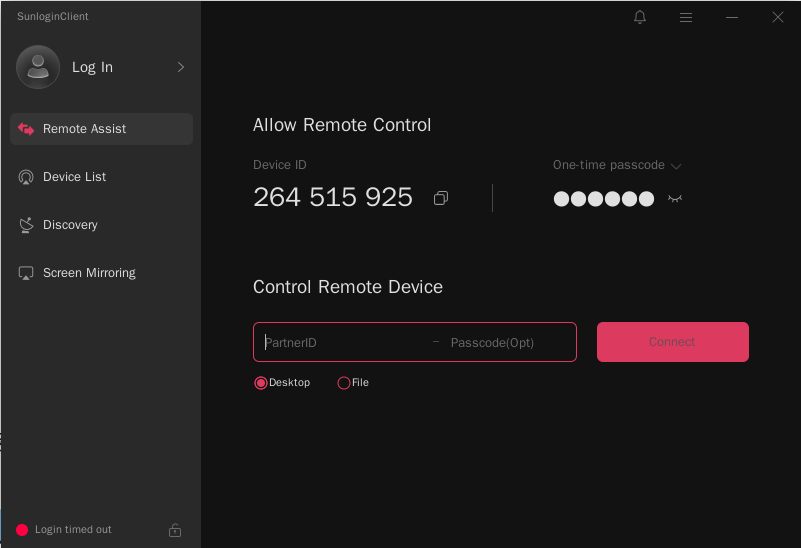
After installation, the software interface will appear as follows:
-
Click the eye icon below 'One-time passcode' to display the one-time password. Then, copy the 'Device ID' and 'One-time passcode' and provide them to our technical support team.
-
-
Once done, tech support can connect to the robot via remote desktop and begin troubleshooting.