
Overview
What Is an Agent?
An Agent is a functional package deployed and running on the robot side to implement specific business capabilities. Through standardized interfaces, it declares interactive components, such as buttons, icons, status, and notification messages, to the Booster App.
Based on the information declared by the Agent, the App dynamically generates the operation interface, sends user operation commands to the Agent for execution, and receives and displays the Agent's state changes in real time.
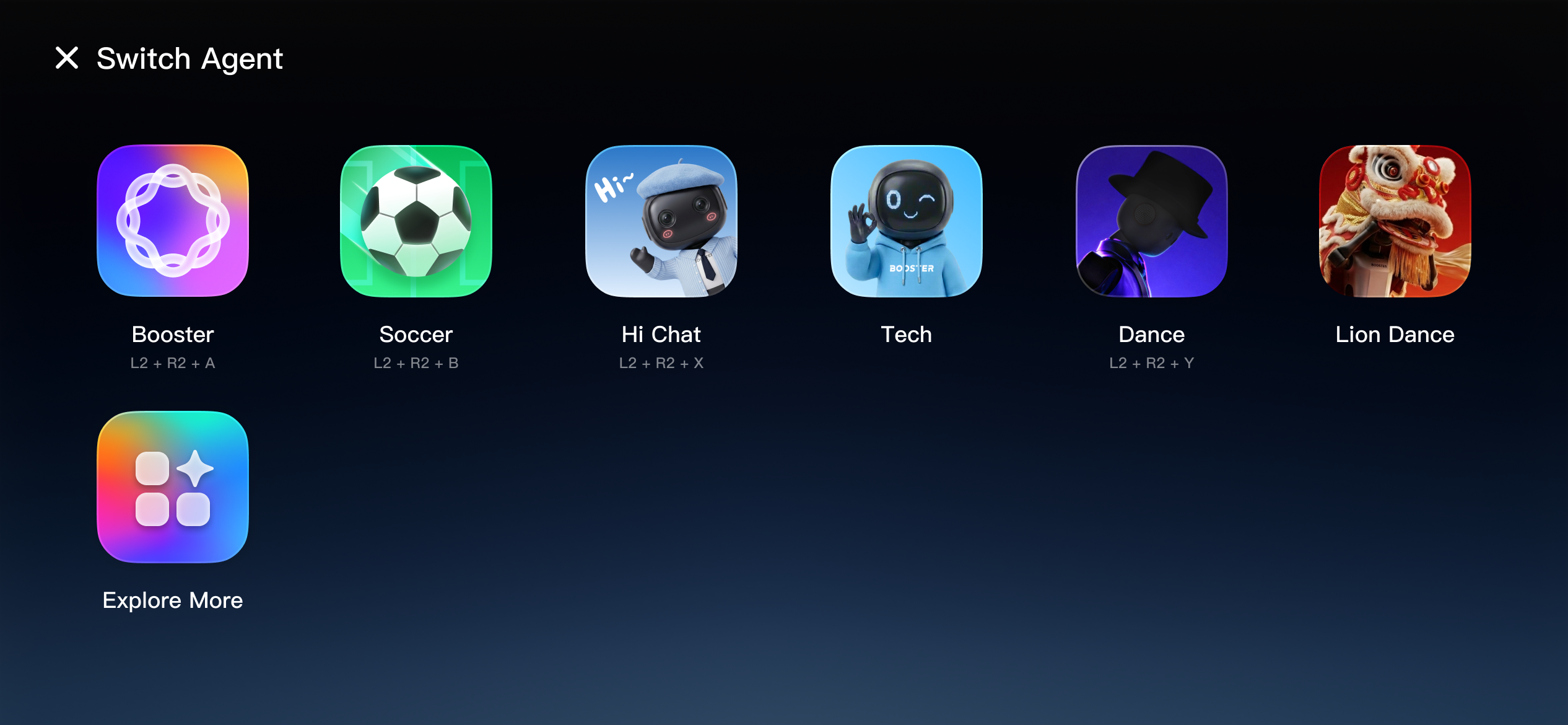
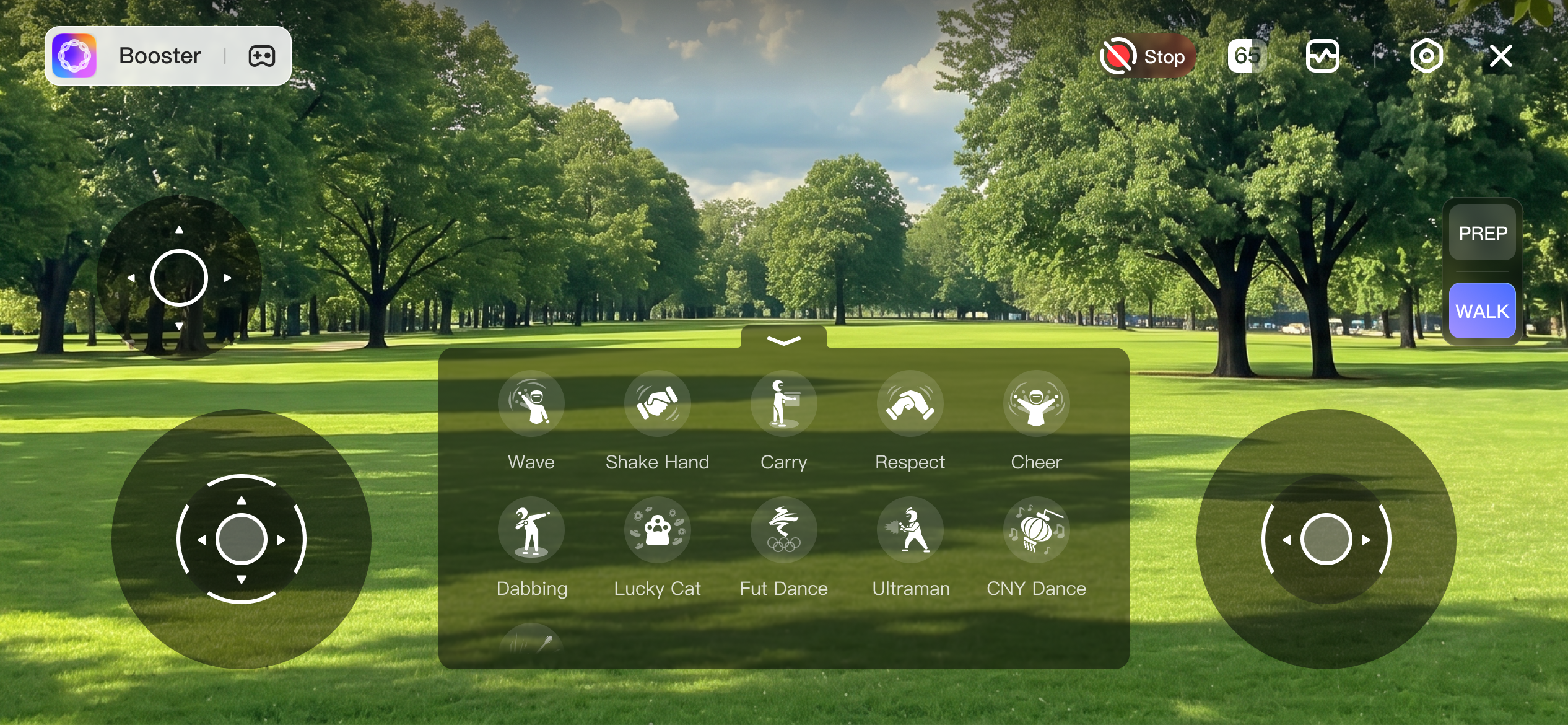
From the user's perspective, different Agents represent different robot capabilities and usage scenarios. For example, after starting the Booster Agent, users can experience official features such as waving and shaking hands; after starting the Soccer Agent, the robot enters soccer mode and performs dedicated tasks such as autonomously chasing and kicking the ball.
The user interface displayed by the Agent in the Booster App is as follows:
Development Framework
We provide a Python-based Agent development framework to help developers quickly build, deploy, and debug robot-side Agents. With this framework, developers can easily call robot capabilities, handle user operations, and synchronize the Agent's state and interactive content to the App in real time.
The framework mainly provides the following capabilities:
- Robot control and state retrieval: supports calling robot control interfaces to execute actions, switch states, or complete specific tasks, and supports subscribing to robot state changes so that the Agent's behavior logic and interface state can be updated dynamically.
- UI component management: supports creating and managing
Componentinstances. AComponentdescribes displayable and interactive content, such as buttons, icons, switches, and status notifications, to the App. When a user clicks a component, the Agent can receive and process the corresponding operation command. - Input handling: supports declaring and subscribing to remote controller events, allowing developers to flexibly associate input handling logic with specific Agent features or
Componentinstances. - Storage, configuration, and internationalization: provides read and write access to files, resources, and configuration parameters, with built-in multilingual support.
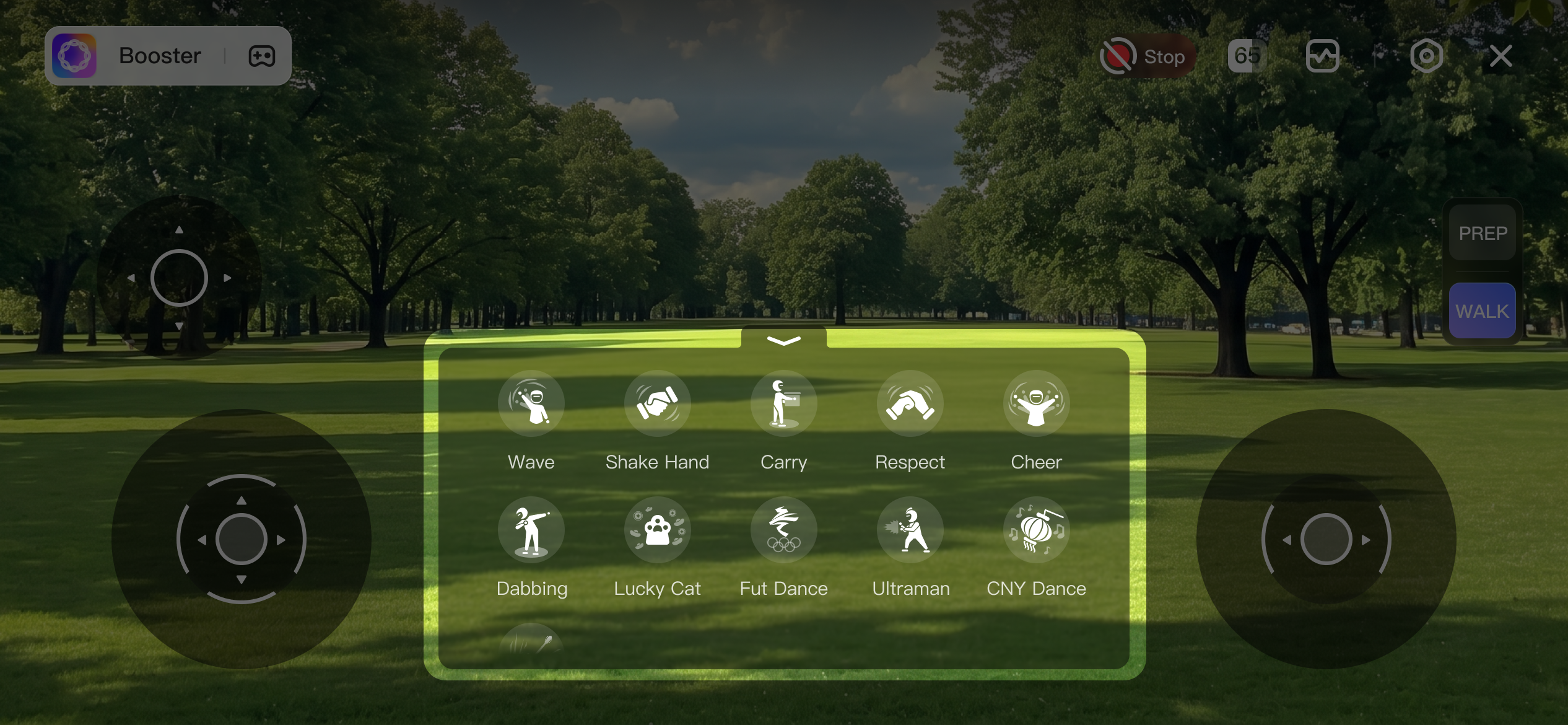
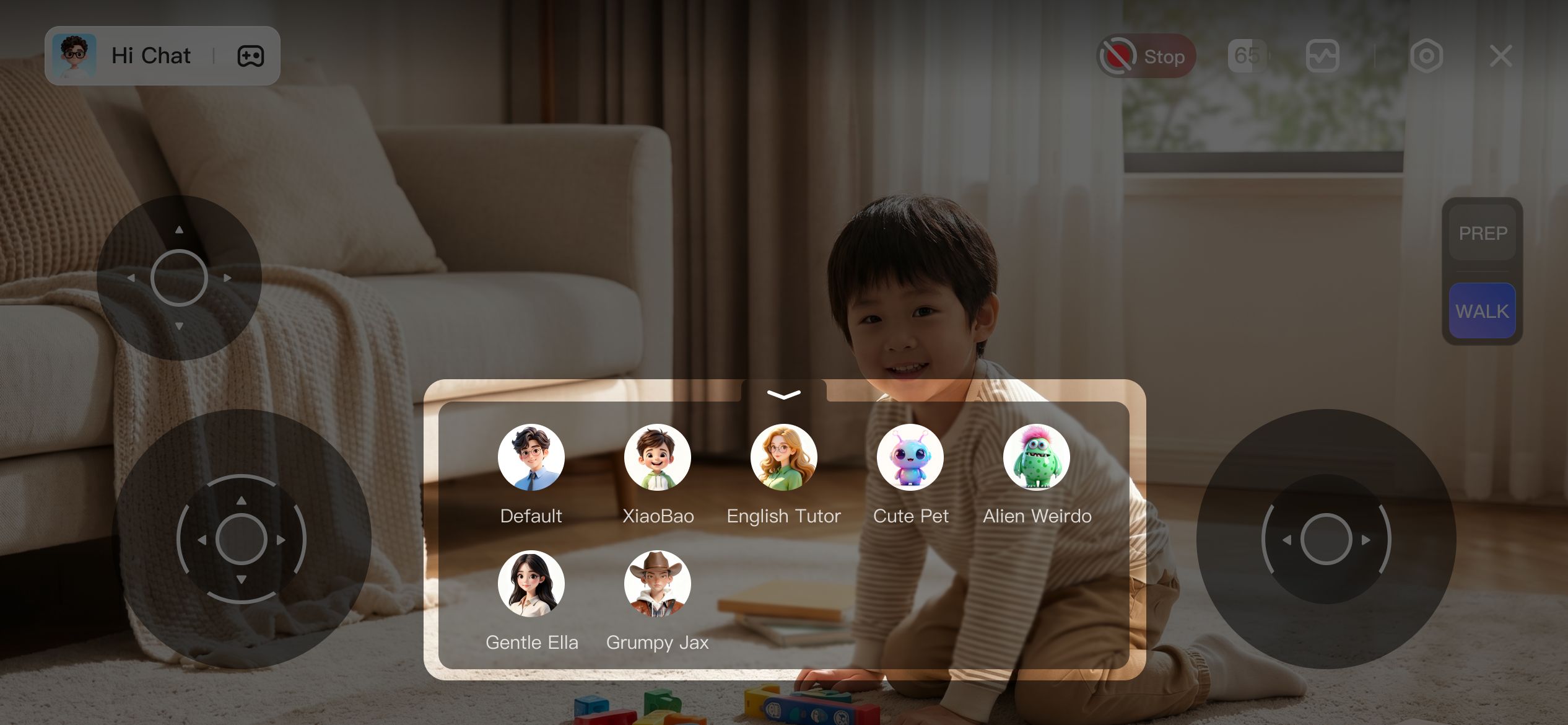
As shown in the figure below, each button highlighted in the feature panel corresponds to a Component. Developers can define the icon, text, display state, and click-handling logic of each Component as needed, thereby presenting robot capabilities to users in an intuitive way.
Development Environment and Tools
Booster Studio is the recommended development tool. It comes with a complete development, runtime, and debugging environment that is ready to use out of the box. It also provides standard project templates, so developers can modify a template directly to get started quickly instead of building a project from scratch.
To run the Agent on a physical Booster Robot, upgrade the firmware to version 1.7.0 or later.